
4-20mA/0-10V Current and Voltage Signal Generator with PWM Generation Function Transmitter
Product details
| Management number | 220424596 | Release Date | 2026/05/03 | List Price | US$12.80 | Model Number | 220424596 | ||
|---|---|---|---|---|---|---|---|---|---|
| Category | |||||||||
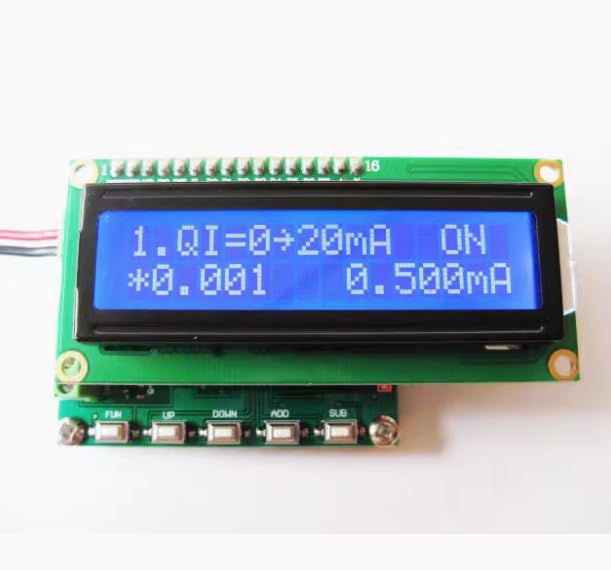
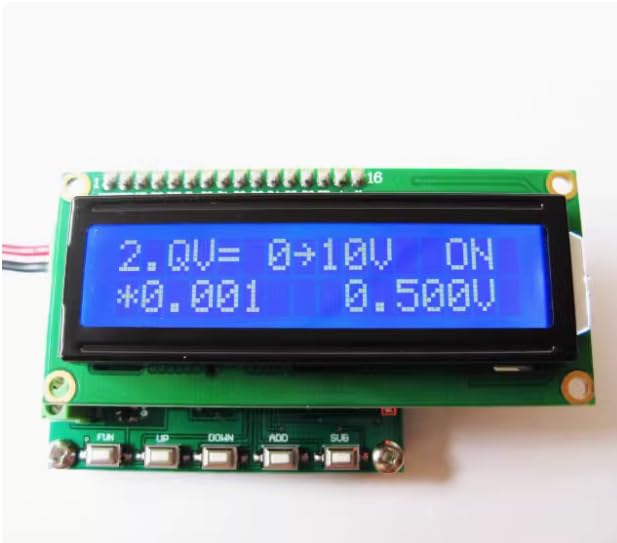
Technical parameter table: Number Project Parameters Unit Remarks 1. Current signal range 0.000~20.000 MA Voltage signal range of 0.000 to 10.000 V 2 pulse signal range: 1-10000 Hz, duty cycle: 0-100% pulse signal 3 pulse duty cycle range 0-100.0% duty cycle 4 pulse signal amplitude 5 VDC maximum amplitude 5.0 Vp (output amplitude unchanged) 5 working voltage 7-12 VDC 6 working current<50 mA 7 working temperature -40 ℃~65 ℃ Celsius 8 Storage temperature -40 ℃~65 ℃ Celsius 9 dimensions 57 * 45 * 20mm length X width X height 4、 Interface description and related operations P4 interface (power supply) VDD: Positive pole of power supply (7-12V) GND: Negative pole of power supply P2 interface (output signal) PWM: Pulse signal output. QI: Current signal output. QV: Voltage signal output. GND: Negative pole of power supply. 4、 Button Description FUN: Select the operation bit for setting data/(long press to switch signal on/off). UP: previous page. DOWN: Next page. ADD: Self added value. SUB: Self impairment. 4.1 Control current output Interface display font: First line "1. QI=0->20mA ON" Second line "* 0.001 10.000mA" Button operation: FUN: Select the operation bit for setting data/(long press to switch signal on/off). 4.2 Control voltage output Interface display font: First line "2. QV=0->10V ON" Second line "* 0.001 5.000V" Button operation: FUN: Select the operation bit for setting data/(long press to switch signal on/off). 4.3 Adjust the pulse signal frequency from 1Hz to 10KHz Interface display font: First line "3. Freq=1->10KHZ" Second line "* 1 1000Hz" Button operation: FUN: Select the operation bit for setting data 4.4. Adjust the pulse signal duty cycle from 0% to 100.0% Interface display font: Line 1 "4. Duty=0->100%" Second line "* 0.1 50.0%" Button operation: FUN: Select the operation bit for setting data 4.5. Save Set Parameters Interface display font: Line 1 "5. Save SET" The second line " Button operation: FUN: Save the set parameters.
- Current signal range 0.000~20.000 MA
- Current signal range 0.000~20.000 MA
- pulse signal range: 1-10000 Hz, duty cycle: 0-100% pulse signal
- working voltage 7-12 VDC
- working current<50 mA
| Color | Green |
|---|---|
| Brand Name | YILUBAO |
| Style Name | see details |
| Part Number | YILUBAO |
| Manufacturer | YILUBAO |
| Power Source | See Details |
| Included Components | see details |
Bestseller ranking
Avionics




Customers who viewed this product also viewed
House


Correction of product information
If you notice any omissions or errors in the product information on this page, please use the correction request form below.
Correction Request Form